
Searching Cases by Name
Indiana MyCase is the public Starke County case search route. Choose the Name tab when the cause number is unknown. A person search requires a last name. First name, middle name, and date of birth can narrow common results. A business search uses its own business-name field and should not be combined with person fields.
- Open MyCase in a current Chrome, Firefox, or Edge browser and choose Name.
- Enter the last name or business name. Add first name, middle name, or date of birth only as needed.
- Open Advanced Search Options. Select Starke Circuit Court or Starke County - Knox City Court, then set status, file dates, and a case category.
- Run the search, sort the results, and open the matching case summary. Compare court, filing date, case type, and status before reading the CCS.
The official interface shows Case, Name, and Attorney routes for a Starke County case search.
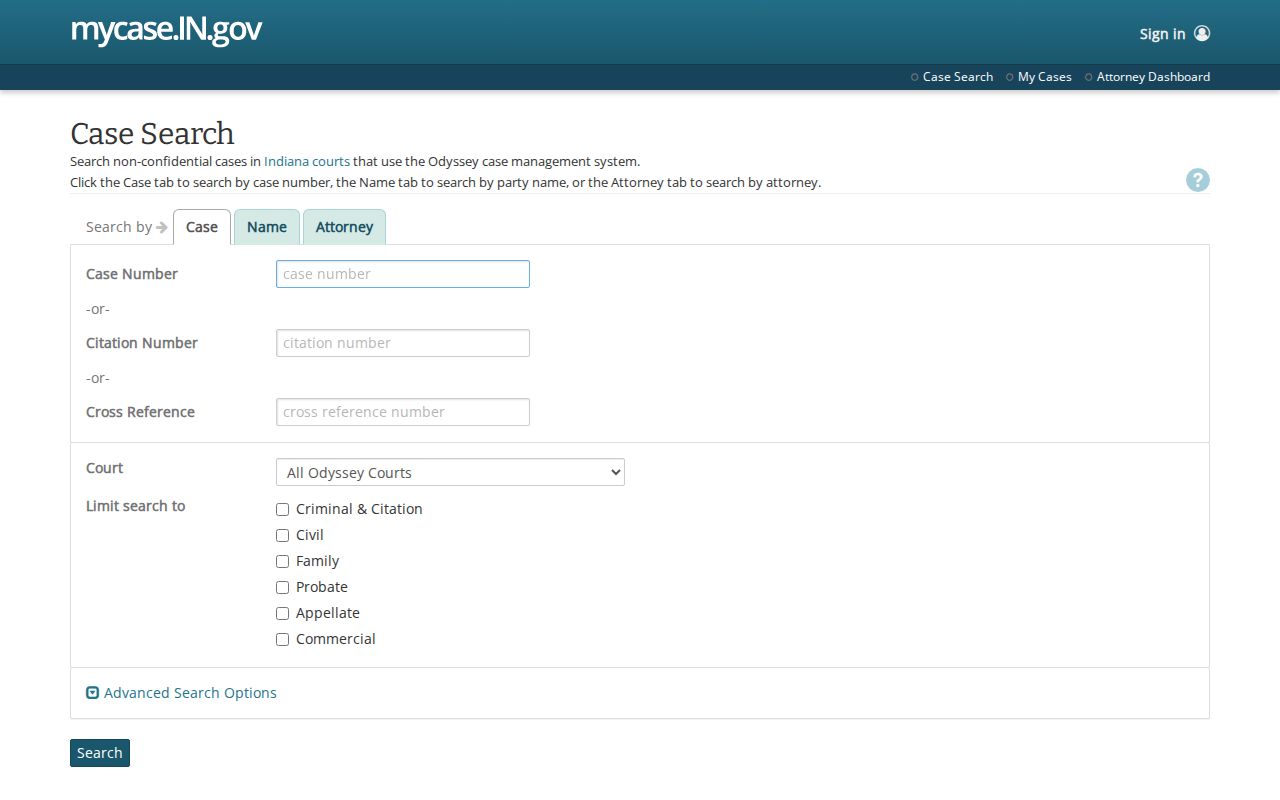
Use only the fields needed for an accurate public-record search.
| Field Label | Type | Required | Format Notes |
|---|---|---|---|
| Last Name | Text | Yes for a person | A wildcard may appear only at the end. |
| First / Middle | Text | No | Use to narrow a common surname. |
| Business Name | Text | Yes for a business | Do not combine it with person-name fields. |
| Court | Dropdown | No | Select Starke Circuit or Starke County - Knox City Court. |
| Case Category | Dropdown | No | Criminal & Citation, Civil, Family, or Probate. |
| File Date | Date range | No | The start date must precede the end date. |
Starke Case Search Court Filters
The Starke County case search exposes two local choices. Starke Circuit Court, court ID 75C01, holds felonies and the county's broad civil, family, juvenile, probate, and specialty docket. Starke County - Knox City Court, court ID 75H01, holds misdemeanors filed there, infractions, and ordinance matters. Search both when the charging or filing court is not known.
No Starke Superior Court, separate county court, probate court, North Judson court, or Hamlet court appears in the current state court directory or MyCase list. Choosing a court that does not hold the case can yield a false zero. A traffic or ordinance search should usually begin with Knox City Court, while a felony or general civil search should begin with Starke Circuit Court.
Searching by Case Number
Choose the Case tab for an exact Starke County case search. A Circuit Court cause number follows a pattern such as 75C01-YYYYMM-TYPE-sequence. Knox City Court uses 75H01-YYYYMM-TYPE-sequence. The first two digits identify Starke County. The letters and digits that follow identify the court, then the filing year and month, case-type code, and sequence.
Enter only one identifier: cause number, citation number, or cross-reference number. MyCase returns a validation message when the field is empty or more than one identifier is supplied. The official instructions say hyphens and leading zeroes may be omitted. If an exact search fails, test the full printed format, then retry without punctuation or leading zeroes before changing to a name search.
Starke Case Search Controls
The official MyCase search tips explain wildcards, date logic, sort fields, and error messages. A wildcard may be used only at the end of a search that begins with a letter or number. The start of a file-date range must precede its end. Results appear twenty at a time and can be sorted by case number, file date, case style, or status date. MyCase requires a narrower query if more than one thousand results would be returned.
The state instructions capture the exact fields and limits used for a Starke County case search.
Those controls help fix broad or empty searches without treating a zero result as proof.
Note: MyCase may present a CAPTCHA, and its free public interface is not a bulk-download tool.
What a Case Search Returns
A result grid is only the first layer. Open the case summary to review the Starke County court docket and verify that the court, case type, file date, and status fit the matter sought. The CCS then lists dated filings, orders, settings, and other events in chronological order. Documents and financial entries may also appear when public access permits.
| Case Number | The full Starke cause number, including 75C01 or 75H01 and the case-type code. |
|---|---|
| Case Style / Parties | The public caption and party roles available in the result or case header. |
| Case Type | A category such as criminal, civil, family, probate, infraction, or ordinance. |
| Filed Date | The date the clerk accepted the case into the court record. |
| Status | Open, closed, or another portal status; it does not by itself explain the outcome. |
| CCS | The dated list of filings, orders, hearings, and other case events. |
| Documents | Public images made available online; an absent link does not prove the item is confidential. |
MyCase warns that displayed information is not the official record and that financial balances can lag. Confirm an important disposition, amount, or setting with the clerk or the filed order.
Starke Case Search Documents
Many public documents can be viewed without charge, but online image coverage is not retroactive. An older Starke County filing may have a CCS entry with no image link. It may still exist in the official case file. Contact the Clerk of the Starke Circuit Court at 574-772-9128 for a Circuit file, or the Knox City Court clerk at 574-772-3766 for a lower-court file. Cite the cause number, document title, and filing date.
The official document-access matrix distinguishes what the public, a party, an attorney of record, and an in-person visitor may see.
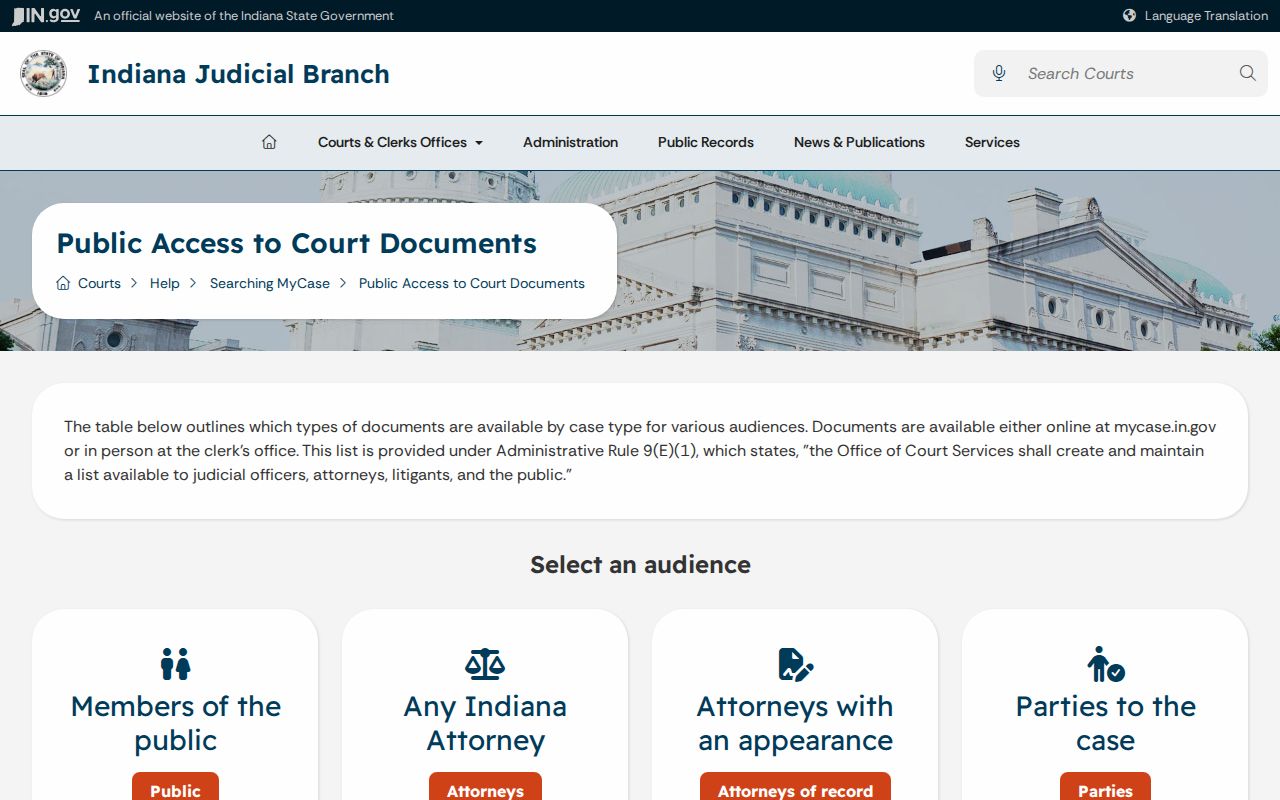
Do not create a party or attorney account to bypass a public restriction.
Statewide vs County Case Search
Indiana does not provide a separate Starke-built case database. MyCase is both the statewide portal and the public online path for participating Starke courts. The county distinction appears through the court dropdown and the clerk who maintains the official file. Local staff supply confirmation and copies that the public portal cannot.
| Indiana MyCase | Starke Clerk Route |
|---|---|
| Searches Odyssey courts across Indiana. | Handles the official file for the selected Starke court. |
| Supports case, name, and attorney searches. | Confirms settings, public documents, and record status. |
| Shows public CCS data and available images. | Provides eligible copies and certified records for a fee. |
| Best for locating a cause and viewing current public data. | Best when an image is missing or an official record is needed. |
Federal Starke County cases are outside this comparison. Use PACER and the Northern District of Indiana clerk for those matters.
Fixing Starke Case Search Results
First check the search mode. A cause number belongs in Case, a person or business belongs in Name, and counsel belongs in Attorney. Next, verify the Starke court choice. Remove hyphens and leading zeroes from a cause number, or add them back from the notice. Broaden the file-date range while keeping the start before the end. Remove an extra name field that may be too strict.
If no public result appears, do not conclude that no case exists. A matter may be sealed, expunged, juvenile, protected, newly filed, misrouted, or outside MyCase. Call the proper clerk after recording the fields and date searched. For an appeal, use the Indiana appellate system. For a federal matter, use PACER.
Access and Restricted Cases
Indiana Access to Court Records rules start with a public-access presumption but protect confidential data and excluded records. Juvenile matters, sealed files, expunged records, protected-order details, victim information, and personal identifiers may be withheld or redacted. Their behavior in a Starke County case search varies: some do not appear, some show a limited header, and some provide only public versions of documents.
A public user should request the public version and let the clerk identify the controlling restriction. Access to Court Records Rule 4 states the general public-access framework, while Rule 9 governs requests involving excluded records. An empty document tab or name result does not grant a basis to seek protected information.
Confirming Starke Case Search Findings
A careful Starke County case search ends with source checks. Record the cause number, court, filing date, status, relevant CCS dates, and the title of any public document. Use the latest filed order for an outcome and the current setting entry for a hearing. Treat a charge, complaint, or allegation as a claim, not a finding.
Official-record check. MyCase is free and useful, but the court that maintains the case supplies the official record.
Contact the Starke Circuit Clerk or Knox City Court clerk when the search result will guide a filing, appearance, or records request.
For more detail on dates attached to a result, use the Starke County court calendar and then confirm the setting with staff.