
How to Search Civil Dockets
Indiana MyCase is the statewide starting point. Pick Starke Circuit Court, which handles general civil, small claims, eviction, collections, tort, domestic, estate, guardianship, mental-health, and protective-order cases for the county. An exact cause number is the best search. Otherwise, narrow by case type and a filing-date range. You can also run a party and attorney search when the cause number is unknown.
Read each result closely. Confirm the court, cause number, type, filed date, and status. Then open the Case Summary. Work through the Chronological Case Summary, or CCS, from the first pleading to the latest order. Not every entry has a document link. So a missing image does not mean the paper does not exist. For inspection, a plain copy, or a certified copy, call the Clerk of the Starke Circuit Court at 574-772-9128. You can also go to the clerk counter.
- Open MyCase and select Starke Circuit Court.
- Enter the exact cause or choose a fitting civil type and date span.
- Match the court, cause, type, filing date, and status.
- Read pleadings, service, motions, settings, and orders in CCS order.
- Ask the clerk for an available official copy when needed.
Starke Civil Case Codes
MyCase and Starke Circuit Court statistics rely on short codes to sort civil cases. PL stands for plenary civil, the general civil bucket. CC means civil collection. CT is civil tort. SC is small claims. EV is eviction, and MF is mortgage foreclosure. Domestic, estate, guardianship, trust, protective-order, mental-health, and expungement files each carry their own labels. A code points your docket search in the right direction. It says nothing about the merits of the claims.
| Code | Starke County civil route | 2024 new filings |
|---|---|---|
| PL | General plenary civil | 25 |
| CC | Civil collection | 513 |
| SC | Small claims | 199 |
| MF | Mortgage foreclosure | 50 |
| EV | Eviction | 42 |
| PO | Protective order | 83 |
The official 2024 Starke Circuit data reported 30 new CT tort matters and 21 XP expungement matters. Those are filing counts, not outcomes. Before you expand a code or characterize any single file, check the portal's full case description and the CCS.
What a Civil Docket Shows
Every Starke County civil court docket opens with a case header. Expect the cause, court, type, filed date, status, assigned judicial officer, party roles, and attorneys. The CCS picks up from there. It logs the complaint or petition, summons and service, appearances, answers, motions, scheduling orders, hearings, rulings, judgment, and post-judgment events. Some entries carry public images.
| Cause number | The court, filing period, civil type, and sequence, such as 75C01-2206-PL-9. |
|---|---|
| Initial pleading | Complaint or petition title, filing date, and public-image status. |
| Service | Summons, return, waiver, or other notice event. |
| Motion practice | Motion, response, hearing setting, and ruling or order. |
| Final action | Judgment, dismissal, decree, settlement approval, or later amended order. |
Financial fields can lag behind the real ledger. A closed status never erases the case. A missing image is not proof the paper is confidential, so verify anything important against the operative order and the clerk's file.
Starke Complaint-to-Judgment Path
The clerk's acceptance of a complaint or petition usually starts a Starke County civil docket. The CCS may then record that summons issued and was served. Appearances, answers, motions, and counterclaims tend to follow. A scheduling order can set discovery, mediation, pretrial, or trial dates. Each ruling lands as an entry, with a linked order when public. After the final order, enforcement, satisfaction, amendment, appeal, or remand may still appear.
Civil docket flow: Filing › Service › Response › Case Management › Hearing or Trial › Judgment › Post-Judgment Action
Few cases hit every step. Small claims often take a shorter path, while a contested plenary case can pile up motion and discovery entries. Read any default entry together with the judgment. Settlement language, dismissal terms, or a later amended order can shift what a brief status label seems to say.
Types of Civil Cases on the Docket
Starke Circuit Court's civil jurisdiction runs wide. The official Court Services page lists tort, personal-injury, malpractice, contract, family, estate, juvenile, mental-health, CHINS, protective-order, and appellate work. MyCase sorts small claims, eviction, collection, foreclosure, trust, guardianship, and expungement files into their own categories.
- Plenary contract, property, and other general civil cases.
- Collections, mortgage foreclosure, eviction, and small claims.
- Domestic relations and support matters with varying public access.
- Estate, trust, probate, and guardianship proceedings.
- Protective-order, mental-health, juvenile, CHINS, and expungement matters with stronger limits.
A complaint is not a finding. In eviction, collection, mortgage, or tort matters, keep allegations separate from an entered judgment. Where a family or safety-related case has protected a name or document, do not try to identify the participant.
Read Starke Small Claims
An SC cause typically shows the claimant's filing, service, appearance, hearing, judgment, and later collection or satisfaction events. The simplified track still requires careful reading. Check whether service was completed, whether the other side appeared, and whether the court entered a judgment or merely reset the hearing. An amount asserted in a claim is never the same as an amount awarded.
Starke Circuit logged 199 new small-claims filings in 2024. That figure makes SC a handy MyCase filter, but it tells you nothing about any single result. Self-represented people can turn to the Starke self-service resources, and should confirm filing options with the court. Remember that MyCase is a search portal, not a filing button.
Note: A small-claims docket tracks procedure and orders; read the final judgment before describing what the court decided.
Settings and Hearings on Civil Dockets
A civil setting can take many forms. Status conferences, motion hearings, pretrial conferences, mediation deadlines, bench trials, and jury trials all appear on a Starke County civil docket. For each setting, the CCS may list the date, the event label, a result, and the next setting. When the label feels thin, pull the scheduling order. It often carries far more detail about what the court wants. A continuance simply resets a setting to a new date, and it should generate a later entry or order. It does not dismiss the case.
Starke County also posts judge, magistrate, and special-judge calendar views. Treat those agendas as leads rather than complete civil dockets, and confirm any setting against the CCS and the assigned court, especially after a reset. The Starke County court calendar walks through the separate calendar views and the clerk-confirmation route.
- Setting
- A scheduled court event.
- Continuance
- A postponement or rescheduling of a proceeding.
- Service
- Formal delivery of a summons, pleading, notice, or order.
- Operative order
- The current order that controls after any amendment or vacation.
Starke Civil Filing Context
Fees shape any civil filing or copy request in Starke County. The state publishes one authoritative source for the numbers. The Indiana Trial Court Fee Manual landing page opens the manual. The manual holds case-type charts and an alphabetical fee list. That is the place to verify current statewide fee guidance. Check it before you count on any figure.
The manual adds useful context. But the clerk should confirm the current amount, statutory additions, service charge, and accepted payment method for your specific filing. Searching MyCase for free is one thing. Paid copying or certification is another.
For planning, the manual current through the 2026 legislative session lists a $157 civil filing figure. With sheriff service it is $185. Standard small claims runs $97, and the listed e-file amount is $87. Treat these as planning figures, not a quote for a particular filing. Attorneys file statewide through certified e-filing providers. That route is mandatory in Starke Circuit Court and Knox City Court. A self-represented filer should ask the clerk which local methods are open.
Public Access to Civil Dockets
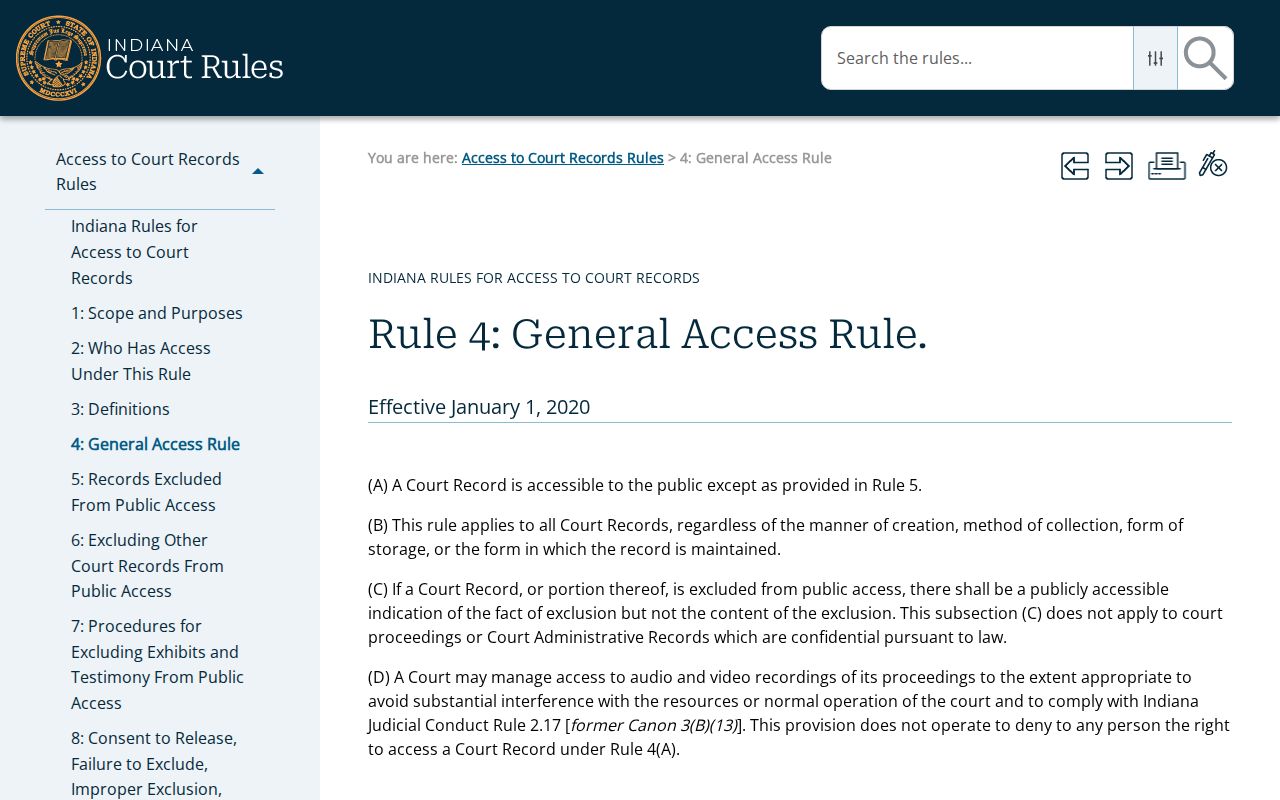
Indiana starts from a simple premise: court records are open. Access to Court Records Rule 4 supplies that general presumption for civil dockets. The official Rule 4 page publishes the rule text itself, so read it there for the baseline on public access.
Openness has limits. Rule 9 and other laws protect confidential information inside court records. Domestic, adoption, juvenile, mental-health, protective-order, expungement, and guardianship cases may show less online or be restricted altogether, even when the civil docket itself is public.
Key rules:
Access to Court Records Rule 4 states the general access presumption.
Access to Court Records Rule 9 governs exclusions and requests for restricted material.
Indiana Administrative Rule 9 addresses remote access and court-record practices.
Request Starke Civil Copies
Pick the channel that fits the item. Civil access runs through MyCase. Inspection is open at the Circuit Clerk counter. Requests by phone, mail, or fax are also options, along with certified copies and court-reporter or transcript requests. An appealed state case may also carry an appellate record. A federal civil case belongs in PACER, not MyCase. Never assume online document access is complete.
The Circuit Clerk sits at 53 East Washington Street, Knox, IN 46534. Call 574-772-9128 or fax 574-772-9169. With your request, give the cause number. Add the date range, the document title, your delivery preference, and whether you want a plain or certified copy. If the original contains protected matter, ask for a public redacted version. Staff can tell you the current process, cost, and any access limit.
Clerk of the Starke Circuit Court
53 East Washington Street
Knox, IN 46534
574-772-9128
Fax: 574-772-9169
A denied or redacted request proves nothing about the case itself. The civil matter may exist even if the copy never reaches you. Write down the office, the date, the response, and the cited restriction, and verify any final order with the clerk before trusting a missing or conflicting MyCase entry.