
The Starke County Court Calendar
The official Starke County court calendar landing page routes visitors to three public views. One is for Judge Kim Hall in the large courtroom, one is for Magistrate Micah P. Cox, and one is for special-judge settings. Each view is an agenda-style calendar tied to its owner. A person must choose the view that matches the assigned judicial officer instead of expecting one countywide search box.
The Starke County court calendar is a convenience schedule. It can identify a date, start time, event title, and calendar owner when those details have been published. It does not replace the Chronological Case Summary, commonly called the CCS. The CCS is the official chronological list of filings, orders, settings, and other case events. If the calendar and CCS differ, confirm the Starke County court date with the assigned court.
The official landing page shows all three Starke County calendar routes.
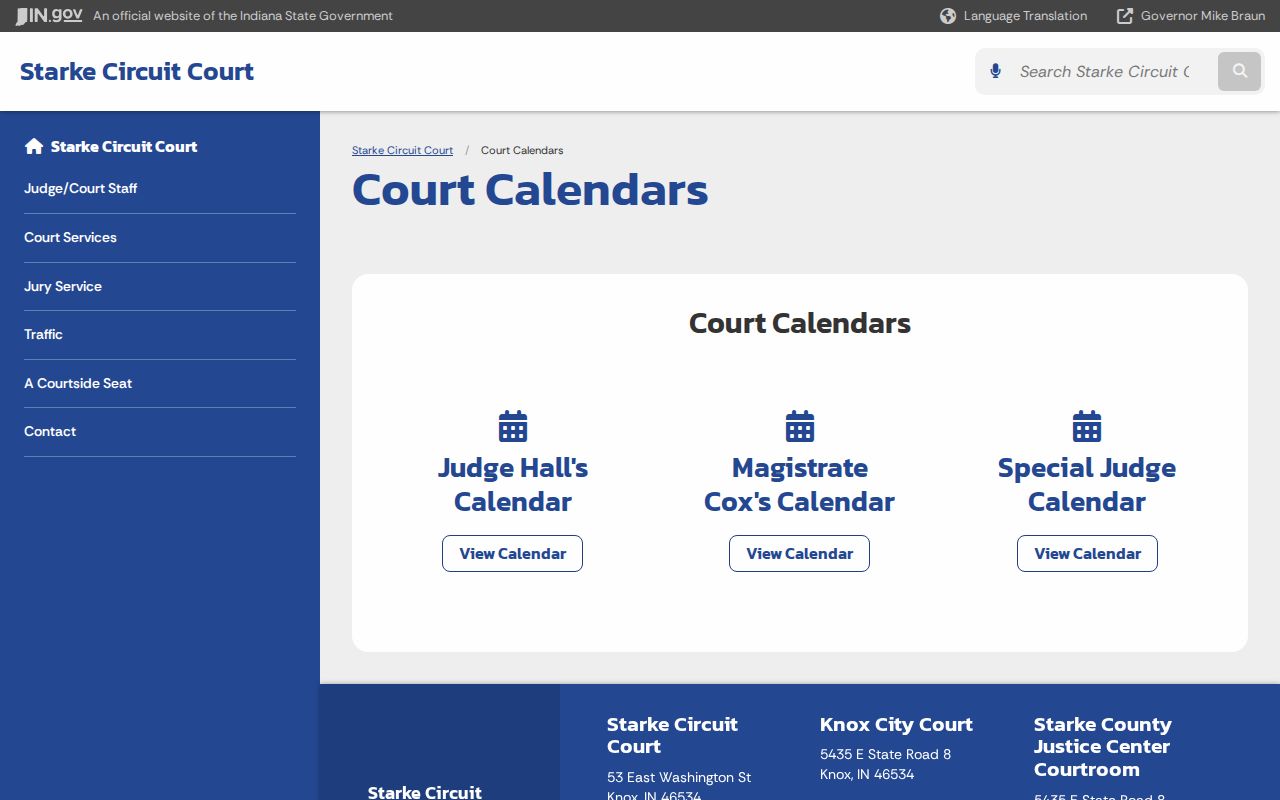
That source helps a visitor select the right calendar before checking an event.
Three Starke Calendar Views
Judge Hall's page, the magistrate page, and the special-judge page each embed a public Google Calendar. They provide date navigation and an agenda or list view. No login, party account, CAPTCHA, or payment step is required. The tradeoff is narrow scope: the calendar does not promise a case-type filter, a cause-number search, or a full county export.
The Judge Hall calendar is labeled for the large courtroom. Its event title may name a hearing type, but it may not contain a party name or cause number. Privacy rules and the calendar owner's publication choices can limit what appears.
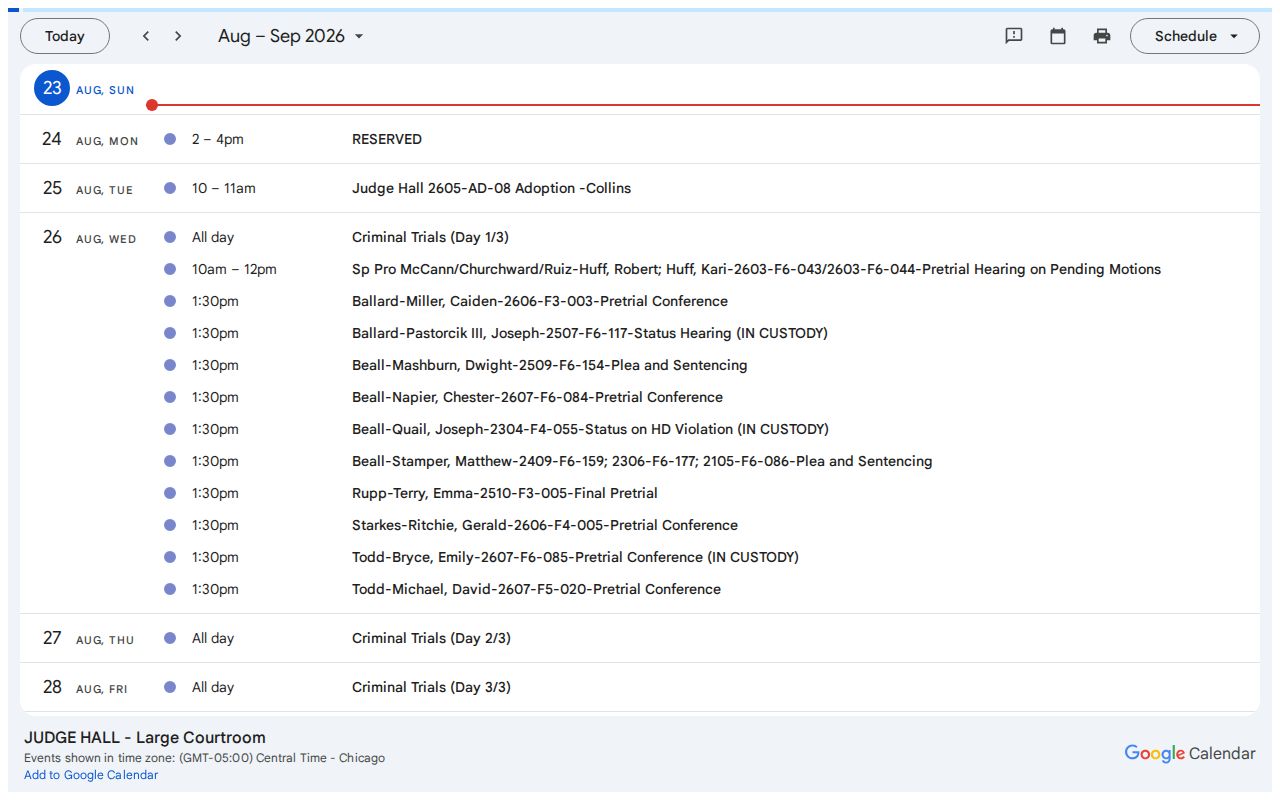
Use the title and time as leads, then verify the hearing against the court docket or staff confirmation.
Starke Courtroom Schedule Monitor
The county's official Courtside Seat account describes another Starke County court calendar channel inside the Justice Center. On most weekdays, a monitor outside the third-floor courtroom displays the day's schedule. It can help a visitor confirm which matters are set after arriving at the building, but it should not be the first or only check.
The monitor is a day-of courthouse posting, not an archive and not a substitute for the CCS. Protected, juvenile, sealed, evidentiary, and safety restrictions can also limit what the public sees. Compare the posted schedule with the latest case entry, then ask court staff when a room, time, or event title remains unclear.
Note: The third-floor monitor is a day-of aid; confirm a Starke County setting before traveling to court.
How to Find Your Court Date
A Starke County court date can be checked through several official channels. Use the calendar for a fast schedule view and Indiana MyCase for the case-level CCS. The clerk's telephone line and counter remain important when an online event is absent, old, or unclear. A party's attorney can confirm the operative order and current appearance instructions.
- Open the county calendar landing page. Choose Judge Hall, Magistrate Cox, or the special-judge view if the assigned officer is known.
- Search Indiana MyCase by cause number or name. Select Starke Circuit Court or Starke County - Knox City Court as appropriate.
- Open the case summary and read the latest CCS entries. Compare the next setting with the calendar event's date, time, title, and owner.
- Call the Circuit Clerk at 574-772-9128 or Circuit Court at 574-772-9146 when details conflict. For a Knox City Court traffic or ordinance setting, call 574-772-3766.
- For an older or missing date, visit the proper clerk's counter, send a written request, or ask court staff whether the public calendar retained the event. Check the third-floor schedule monitor when appearing at the Justice Center.
Appellate and federal matters use different systems. Search the Indiana appellate docket for an appeal. Use PACER for a federal case in the Northern District of Indiana. MyCase and the Starke County calendar do not serve as federal calendars.
Starke Magistrate Calendar Details
The Magistrate Cox calendar is a separate public agenda. That separation matters. A setting on the magistrate view may not appear on Judge Hall's calendar even though both relate to Starke Circuit Court. Start with the judicial officer named in the CCS, notice, or filed order.
The public agenda can omit party names, cause numbers, documents, and access limits. An event title is therefore a clue, not proof that a similarly named matter belongs to a specific case.
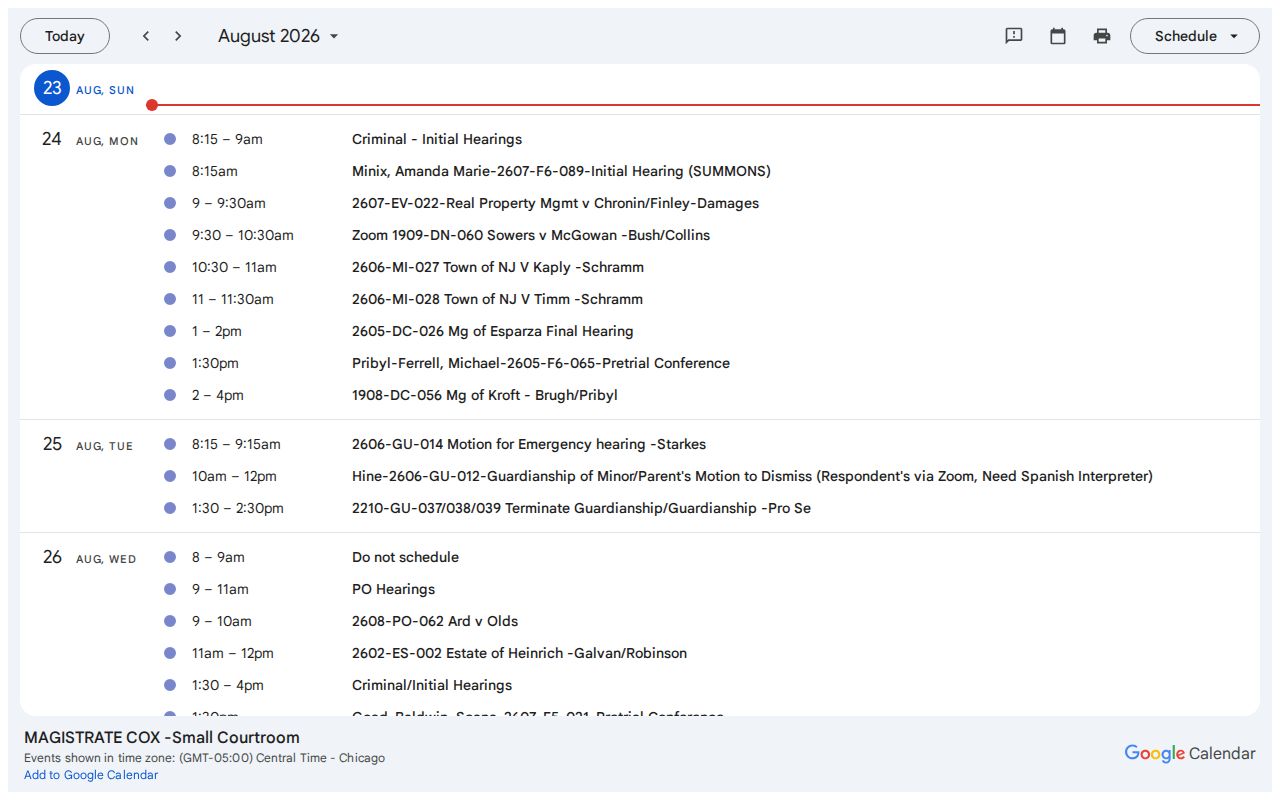
The separate view makes court assignment a key part of each calendar check.
Reading a Court Setting
Read each Starke County court setting as a set of fields, then compare it with the CCS. Date and time tell when the event is due to start. The owner identifies which judge, magistrate, or special judge published it. A title may describe the event, but it may not supply the full case caption. Location or video details appear only when the owner publishes them.
| Date | The agenda day for the setting; compare it with the latest CCS entry. |
|---|---|
| Time | The public start time, normally Central Time; confirm the time zone and arrival instruction with staff. |
| Courtroom | A room or location when published; in-person hearings generally use the Starke Justice Center. |
| Judge | Judge Hall, Magistrate Cox, or a special judge, based on the calendar owner and case assignment. |
| Setting Type | An initial hearing, pretrial, motion hearing, trial, or other event; the title may be brief. |
Live-hearing directions, when authorized, are linked from the Circuit Court home page. A calendar event alone does not grant remote access. Follow the exact court instruction and do not assume that an open hearing will have a public video link.
Starke Special-Judge Calendar Settings
A special judge is assigned under Indiana rules when the regular judge cannot preside. Starke County maintains a distinct special-judge calendar, so these settings should not be sought only on the regular judge or magistrate agenda.
The special-judge embed is another convenience view. It may identify a public event without displaying the filings that caused the assignment or all case details.
Match the event with MyCase and the latest order before relying on the date.
Resets, Continuances, and Cancellations
A continuance postpones or reschedules a hearing. A reset places the matter on a new date. Neither term means the case was dismissed. In Starke County, the new setting may appear as a later CCS entry, a revised calendar event, or a filed order. Read the most recent entries in date order instead of relying on the first setting found.
An event that disappears is not proof of cancellation. It may have moved to another officer's calendar, been revised, or no longer be shown in the public embed. Likewise, an event missing from MyCase is not proof that the hearing never existed. Call scheduling staff or the clerk and cite the cause number, event title, and date that was shown.
Starke local rules address continuances and court procedure, while the judge controls the actual request. A party should follow the court's process and any filed order. Merely calling the clerk does not itself change a setting.
Missing Starke Calendar Events
A zero result has several possible causes. The wrong calendar may be open. The hearing may sit under a special judge. The title may omit the cause number or parties. An older event may no longer be retained. Protected, juvenile, sealed, evidentiary, or safety limits may also reduce public detail.
Use a simple check: Calendar view to MyCase CCS to clerk confirmation. Save the date checked, calendar owner, and event title. If the date still cannot be found, give those facts and the cause number to court staff. For a public-interest or genealogy search, ask for the public record rather than drawing a conclusion from a blank calendar.
Note: A blank agenda is not proof that Starke County has no hearings or that a case is confidential.
What To Do If You Miss a Setting
Act promptly after a missed Starke County court date. Check the CCS for a new entry, then contact the assigned court and the appropriate clerk. If counsel represents you, contact that attorney. Ask what order was entered, whether a new setting exists, and what the court requires next. Do not appear or rely on an old date without current instructions.
Missed a Setting? A failure to appear can lead to a warrant, another court action, bond consequences, or license action in a traffic matter.
Contact the assigned Starke County court, the proper clerk, and your attorney at once to learn the current status.
Seek advice from a licensed Indiana attorney about how to address a missed setting and any resulting order.
For Knox City Court, the city's official instructions address failures to appear in its traffic and ordinance docket. Circuit Court matters follow the Circuit Court and local-rule path. The two courts keep separate files, so call the court named on the citation, notice, or case summary.